
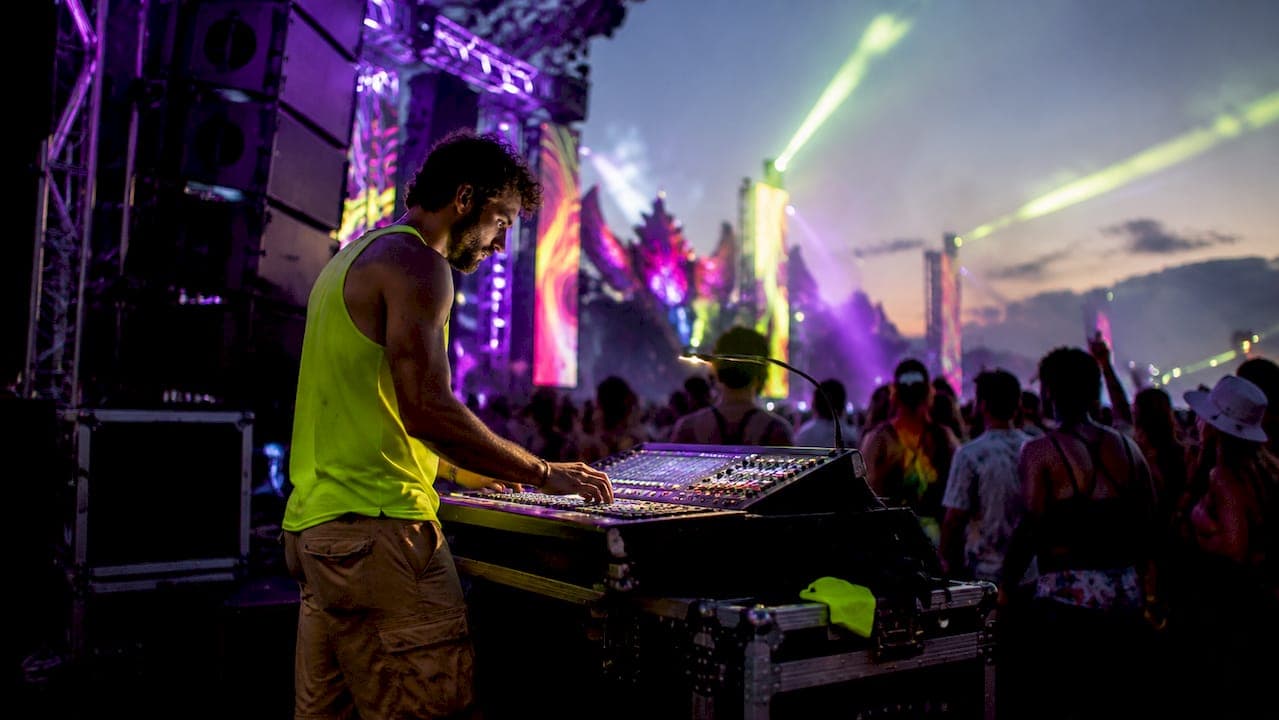
Lighting and sound synchronization is the practice of coordinating your audio output with your lighting fixtures so both systems respond to the same musical cues at the same time. When you sync lighting sound at an indoor event, you transform a standard venue into an experience that guests feel physically, not just hear. The three main approaches are sound-activated fixtures, DMX-programmed scenes, and MIDI-driven cue systems. Each method delivers a different level of control, and choosing the right one depends on your event format, venue size, and how much setup time you have available.
What are the main methods to sync lighting with sound at indoor events?
Three distinct methods define how event planners approach lighting sound synchronization. Understanding each one before you book gear or write a tech rider saves hours of troubleshooting on event day.
Sound-Activated Fixtures
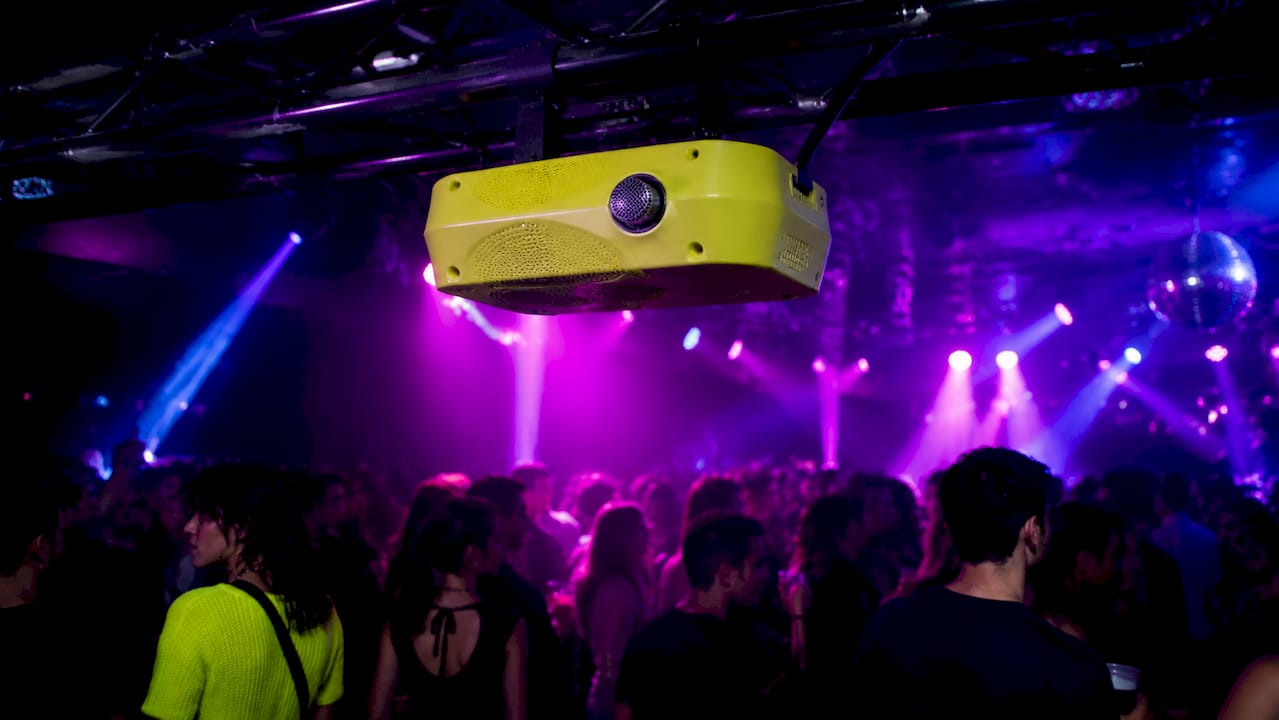
Sound-activated mode reacts automatically to audio input through a built-in microphone. Setup takes minutes. You power on the fixture, switch it to sound mode, and the light responds to whatever it hears. The trade-off is control. These fixtures struggle with crowd noise and song tempo variations, which means lights can fire at the wrong moment or fall out of sync entirely during a loud crowd reaction.
DMX-Programmed Scenes
DMX (Digital Multiplex) is the industry-standard protocol for controlling stage and event lighting. You program scenes in advance and trigger them manually or automatically based on BPM analysis. Beat-grid syncing creates a music-synced lighting show that feels deliberate, riding on analyzed tempo grids rather than random flashing. This method requires a DMX controller or interface and some programming time, but the results are far more consistent.
MIDI and Click Track Systems
MIDI-driven lighting ties your fixtures to a master clock, usually a click track running through your audio playback system. Mapping MIDI notes to lighting scenes triggers cues at structural musical points, which is ideal for scripted performances, corporate shows, and live bands. This is the most precise method available, and it produces repeatable results across multiple performances.
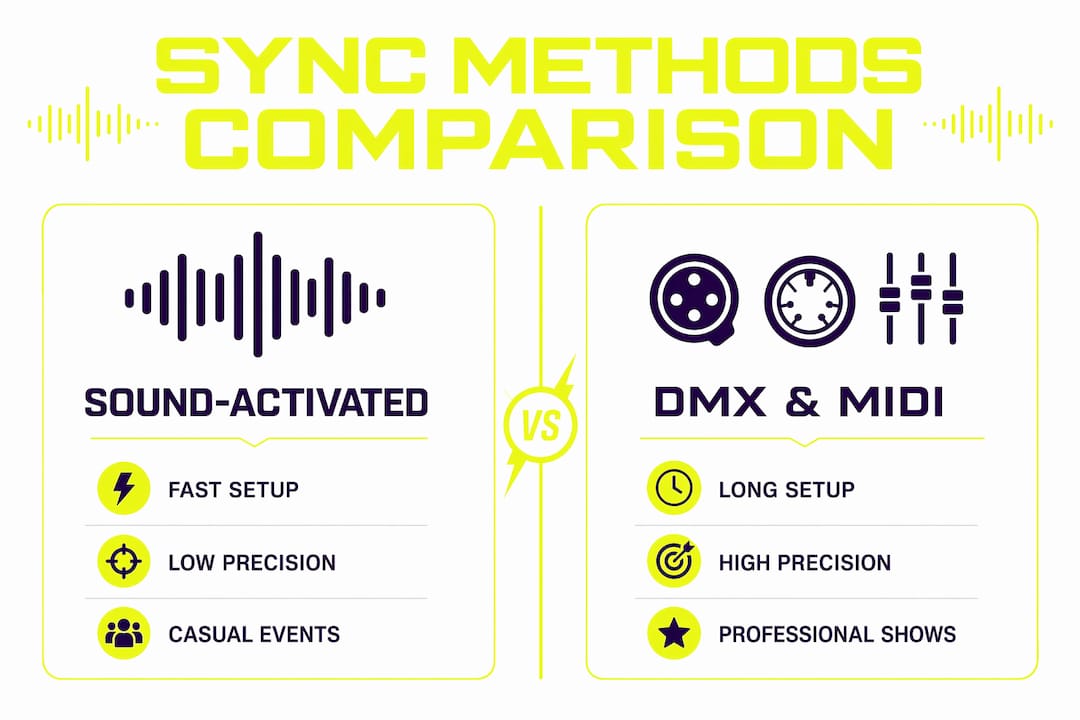
| Method | Setup Time | Precision | Best Use Case |
|---|---|---|---|
| Sound-Activated | Under 10 minutes | Low | Small parties, casual events |
| DMX Programmed | 1–3 hours | High | DJ sets, club nights, receptions |
| MIDI / Click Track | Half day or more | Very High | Live concerts, scripted shows |
How do you set up a DMX lighting system synced to music?
A properly wired DMX chain is the foundation of any reliable indoor event audio visual setup. Skipping steps here causes visible lag, flickering, and fixtures that ignore cues entirely.
Equipment you need before you start:
- DMX-rated cable with 110–120Ω impedance (standard XLR cable is not a substitute)
- A 120Ω terminator plug for the last fixture in the chain
- A DMX interface or controller (hardware or USB-to-DMX)
- DJ software or lighting control software with BPM analysis
Step-by-step setup:
- Assign a unique DMX address to each fixture. No two fixtures should share the same starting address unless you want them to mirror each other.
- Daisy-chain your fixtures using proper DMX cable. Run from the controller output to fixture one, then from fixture one's output to fixture two, and so on.
- Insert the 120Ω terminator into the DMX output of the last fixture. This prevents signal reflection, which is one of the most common causes of timing glitches.
- Connect your DMX interface to your laptop or DJ controller.
- Open your lighting control software and run a BPM analysis on your audio. Group fixtures by function (wash lights, strobes, moving heads) and build scenes that correspond to musical phrases, not just individual beats.
- Test the full chain at performance volume before doors open.
Zero-latency synchronization hinges on addressing signal framing and cabling quality, not electrical speed. A clean DMX chain with proper termination resolves most timing complaints before they start.
Pro Tip: Run your DMX cable away from power cables whenever possible. Parallel runs with AC power lines introduce interference that shows up as random fixture behavior during high-energy moments.
Professional audio setups ensure clean, stable signals for lighting systems that use audio triggers or beat detection. Your lighting is only as reliable as the audio feed driving it.
How do you synchronize lighting with live sound using MIDI and click tracks?
A click track is a metronome signal that runs through your in-ear monitors or a dedicated audio output, giving every system on stage a shared tempo reference. When your lighting software listens to that same clock, every cue fires at a predictable moment regardless of what the performer does.
Workflow for MIDI-based lighting synchronization:
- Build your setlist in your audio playback software (Ableton Live and QLab are both widely used for this). Assign a MIDI output channel for lighting cues.
- Map specific MIDI notes to lighting scenes in your DMX or lighting control software. A MIDI note C3 might trigger a full-stage wash. D3 might fire a strobe burst.
- Place lighting cues at structural points in the song: the downbeat of a chorus, the drop in an EDM track, the final note of a ballad.
- Run a full rehearsal with the complete audio and lighting rig. Note any cues that feel late or early.
- Nudge MIDI cues earlier by a few milliseconds to counteract DMX frame latency. Even 10–20 milliseconds of adjustment can make the difference between a cue that feels tight and one that feels sloppy.
Pro Tip: Always build a fallback scene in your lighting software that triggers on a simple MIDI panic note. If a cue misfires during a live show, one button press returns everything to a neutral state without killing the atmosphere.
The MIDI method shines for events where the same show runs multiple nights. Once you dial in the timing, the system reproduces it exactly every time. That repeatability is worth the extra setup investment for corporate productions, award shows, and touring acts.
What are the most common problems when syncing lighting and sound indoors?
Most sync failures at indoor events trace back to three sources: bad cabling, environmental audio interference, and network configuration errors. Knowing where to look cuts your troubleshooting time significantly.
- Signal reflection in DMX chains: Skipping the terminator plug causes data to bounce back through the cable, creating ghost signals. Always terminate the last fixture with a 120Ω plug.
- Sound-activated lights reacting to crowd noise: Mic-based sound-activated lights pick up crowd noise or echoes and react to wrong triggers. Position these fixtures close to the main speaker output and away from audience areas.
- Latency in networked LED pixel setups: Large LED arrays running over Ethernet via E1.31 (sACN) or Art-Net protocols require careful network universe management. Too many universes on a single unmanaged switch causes stuttering and dropped frames.
- BPM drift in long sets: If your DJ software loses its beat grid lock during a transition, programmed scenes fall out of phase. Lock the BPM manually for tracks with irregular tempos.
- Room acoustics affecting audio triggers: Hard-surfaced venues (concrete floors, glass walls) create reflections that confuse audio-reactive systems. Place your audio feed source at the mixing board output, not from a room microphone.
Pro Tip: Test your full rig at the actual venue volume level before the event. A setup that works perfectly at 60% volume can behave differently at 100% due to acoustic reflections and signal bleed.
What tools and software work best for audio-visual sync at indoor events?
The right tools depend on your event scale and how much control you need. The options below cover the full range from plug-and-play to professional-grade.
Music-reactive open-source apps like OpenLightShow offer controls for sensitivity, flash thresholds, and band-specific effects. They work well for smaller events where budget is tight and setup time is limited.
For mid-scale events, a hardware DMX controller paired with DJ software that includes beat-grid analysis gives you the best balance of speed and control. Platforms like Resolume Avenue and GrandMA3 onPC handle both audio analysis and DMX output from a single interface.
| Tool / Platform | Type | Best For | Budget Level |
|---|---|---|---|
| OpenLightShow | Open-source software | Small events, DIY setups | Free |
| Resolume Avenue | AV software | Club nights, DJ events | Mid-range |
| GrandMA3 onPC | Lighting console software | Large productions | Professional |
| ENTTEC USB DMX Pro | DMX interface | Any scale, reliable output | Mid-range |
| Ableton Live + MIDI | DAW with MIDI output | Live shows, click track sync | Mid-range |
For large LED pixel arrays, the choice between Art-Net and E1.31 (sACN) matters. Art-Net works well for smaller universe counts. E1.31 scales better for high-channel-count installations but requires a managed network switch to avoid packet collisions.
Pro Tip: Always carry a backup DMX interface. Hardware failures at events are rare but catastrophic. A spare ENTTEC USB DMX Pro costs less than one hour of downtime.
Key takeaways
Tight lighting and sound synchronization at indoor events requires matching your method to your event format, then executing the technical setup without shortcuts.
| Point | Details |
|---|---|
| Match method to event type | Use sound-activated for casual events, DMX for DJ sets, and MIDI for scripted live shows. |
| Cable quality determines timing | Use 110–120Ω DMX cable and always terminate the last fixture to prevent signal reflection. |
| Audio feed quality drives sync | A clean signal from the mixing board outperforms any room microphone for triggering lights. |
| MIDI nudging fixes latency | Shift MIDI cues earlier by 10–20 milliseconds during rehearsal to compensate for DMX frame delay. |
| Network setup matters for LED arrays | Use a managed switch and configure universe counts correctly when running E1.31 or Art-Net protocols. |
What i've learned after years of watching sync setups succeed and fail
Most event planners I talk to treat audio and lighting as two separate vendor problems. That mindset is the single biggest reason sync setups fail on event night. The audio engineer and the lighting operator need to be in the same conversation from the moment the tech rider is written.
The counterintuitive lesson I keep coming back to: more automation does not mean better sync. Sound-activated fixtures feel like the easy answer, but they hand control to the room. A loud guest near a fixture, a reverberant ceiling, a feedback spike from a microphone, and suddenly your lights are chasing noise instead of music. The planners who get the best results invest two extra hours in DMX programming and walk away with a show that feels intentional.
I've also seen MIDI-based setups fall apart because nobody ran a full-volume rehearsal. The timing that looked perfect at 70% volume shifted when the subwoofers came up and introduced acoustic pressure that affected the room's audio behavior. Rehearsal at actual show conditions is not optional. It's the only way to find the timing nudges that make a cue feel locked in rather than slightly behind.
The other thing most guides skip: your contingency plan. Every sync setup needs a manual override. If the click track drops, if the DMX interface freezes, if the BPM lock fails mid-set, you need a one-button fallback that keeps the show moving. Build it before you need it.
— Trama
Let Deimossound handle your next synchronized event
Planning a synchronized audio-visual experience takes real technical depth, and the gap between a good-looking setup and a great-feeling show comes down to execution. Deimossound brings both the gear and the expertise to make that gap disappear.
Deimossound specializes in high-energy DJ sound and lighting services that are built around tight audio-visual coordination from the first beat to the last. Every event gets a tailored approach, not a template. With rates starting at $75 per hour, you get professional-grade synchronization without the overhead of a full production company. Whether you need a complete event audio setup or want to browse gear options, Deimossound has you covered. Check out the event gear store to find the right tools for your next indoor event.
FAQ
What does it mean to sync lighting and sound at an event?
Syncing lighting and sound means coordinating your light fixtures to respond to musical cues, beats, or programmed triggers at the same time as the audio plays. The result is a unified sensory experience where light and music feel like one system.
What is the easiest way to sync lights to music indoors?
Sound-activated fixtures with built-in microphones are the fastest setup option. They react automatically to audio input, though they can misfire in loud or reverberant rooms.
How do i prevent DMX lighting from lagging behind the music?
Use 110–120Ω rated DMX cable, daisy-chain your fixtures correctly, and install a 120Ω terminator on the last fixture in the chain. Signal reflection from an unterminated chain is the most common cause of visible lag.
What is a click track and why does it matter for lighting?
A click track is a tempo reference signal that runs through your audio system, giving your lighting software a master clock to follow. It enables precise, repeatable cue triggering that stays locked to the music regardless of live performance variations.
Can i sync lighting to live sound without expensive equipment?
Yes. Open-source platforms like OpenLightShow provide audio-reactive lighting control with adjustable sensitivity and beat detection at no cost. For tighter control, a mid-range DMX interface like the ENTTEC USB DMX Pro paired with free lighting software covers most indoor event needs.